How to use the PWM duty cycle calculator
- Type a value into any one of the duty boxes — duty cycle in %, the Arduino
analogWrite()value (0–255) or the ESP32ledcWrite()value. The other boxes update instantly. - Pick the ESP32 LEDC resolution (8 to 14 bits) you use in
ledcAttach(). - Choose a board/pin preset or type your own PWM frequency, and enter the supply voltage (5 V for an Uno, 3.3 V for an ESP32).
- Read the period, on-time, off-time and average voltage, check the waveform, and copy the ready-made code line.
Formula
PWM (pulse-width modulation) switches a pin fully on and fully off very quickly. The duty cycle D is the fraction of each period that the pin is HIGH.
The calculator rounds the register values to whole numbers and shows the duty cycle you actually get.
Default PWM frequencies
| Board | PWM pins | Frequency | Resolution |
|---|---|---|---|
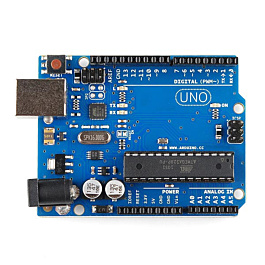
| Arduino Uno / Nano | 3, 9, 10, 11 | 490.2 Hz (16 MHz ÷ 64 ÷ 510) | 8-bit, 0–255 |
| Arduino Uno / Nano | 5, 6 | 976.6 Hz (16 MHz ÷ 64 ÷ 256), often quoted as 980 Hz | 8-bit, 0–255 |
| ESP32 (LEDC) | almost any output GPIO | you choose it in code | up to 14 bits on every ESP32 chip (20 on the original ESP32) |
| Raspberry Pi Pico | any GPIO | you choose it in code | duty_u16() takes 0–65535 in MicroPython |
On the ESP32 the LEDC timer runs from an 80 MHz clock, so frequency × 2^bits must stay below 80 MHz. That gives about 312.5 kHz at 8 bits, 78.1 kHz at 10 bits, 19.5 kHz at 12 bits and 4.88 kHz at 14 bits.
Average voltage is not a real analog voltage
The pin is always either 0 V or fully HIGH. A motor, an LED (as seen by your eye) or a multimeter averages the pulses, so they behave as if the voltage were D × V_supply. If you need a smooth voltage — for example to feed an op-amp — add an RC low-pass filter and size it with the RC filter cutoff calculator.
Choosing a PWM frequency
- LED dimming: a few hundred Hz or more. Below about 100 Hz the flicker becomes visible, especially on camera.
- DC motors: a few kHz works; 20 kHz or above is silent but check your driver's maximum switching frequency.
- Hobby servos: do not use plain PWM. They need a 50 Hz pulse of about 0.5–2.5 ms — use the servo pulse width calculator.
Common mistakes
- Using a non-PWM pin. On an Uno only pins 3, 5, 6, 9, 10 and 11 (marked ~) give PWM. On other pins
analogWrite()just turns the pin fully on (value ≥ 128) or off. - Writing 255 on a 12-bit ESP32 channel. That is only 6% duty. Full scale is 4095 at 12 bits — always match the value to the resolution.
- Changing Timer0 on the Uno. Pins 5 and 6 share Timer0 with
millis()anddelay(), so changing its prescaler breaks timing. - Servo library clash. On the Uno the Servo library uses Timer1, so
analogWrite()stops working on pins 9 and 10. - Forgetting the LED resistor. PWM does not limit current — size it with the LED resistor calculator.
Want the full story with experiments? Read PWM explained: LED dimming and motor speed, compare boards in Arduino vs ESP32 vs Raspberry Pi Pico, or pick up an Arduino or ESP32 kit from our kits page.