How to use the RGB LED colour mixer
- Pick a colour with the colour picker, type a hex code (like
#EA580C), drag the R, G and B sliders, or tap a preset. - Choose your LED type: common cathode (shared leg to GND) or common anode (shared leg to + supply). The PWM values update instantly.
- Tick gamma-correct if you want the LED to look closer to the colour on your screen.
- Choose the supply voltage (5 V or 3.3 V) and current to get a resistor for each colour.
- Set your PWM pins and press Copy code for a ready-made Arduino sketch.
How an RGB LED makes colours
An RGB LED is three LEDs — red, green and blue — in one package. Using PWM (pulse-width modulation), the microcontroller switches each colour on and off hundreds of times per second. Your eye averages the flicker, so a channel that is on 50% of the time looks about half as bright. Mixing the three brightness levels gives you thousands of colours.
Formula
Typical values (5 V supply, 10 mA per colour)
| Colour | Typical V_f | Exact resistor | Use (E24) | Current |
|---|---|---|---|---|
| Red | 2.0 V | 300 Ω | 300 Ω | 10.0 mA |
| Green | 3.0 V | 200 Ω | 200 Ω | 10.0 mA |
| Blue | 3.1 V | 190 Ω | 200 Ω | 9.5 mA |
These forward voltages are typical values for small 5 mm RGB LEDs; your LED's datasheet may differ slightly. On a 3.3 V supply, green and blue have only 0.2–0.3 V left for the resistor, so they may look dim and uneven — 5 V gives more reliable colours.
Common mistakes
- Wrong LED type. If your colours look "inverted" (white when you asked for black), you have a common-anode LED — switch the type and re-copy the code.
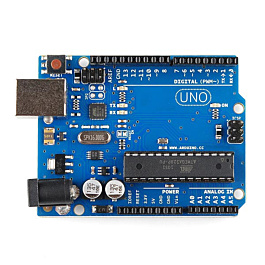
- Using non-PWM pins. On an Arduino Uno or Nano only pins 3, 5, 6, 9, 10 and 11 support
analogWrite(). On ESP32 and Raspberry Pi Pico most GPIO pins can do PWM. - Common anode on 5 V with a 3.3 V board. Connect the common leg to 3.3 V, otherwise the LED may not switch fully off.
- Expecting an exact screen match. LEDs and screens produce colour differently; gamma correction gets you closer.
Related tools and guides
Learn how PWM works in PWM explained: LED dimming and motor speed, and convert duty cycles with the PWM duty cycle calculator. For single LEDs, use the LED resistor calculator. Driving a small TFT screen? RGB565 colours work with our TFT tool. Not sure which board to use? Read Arduino vs ESP32 vs Raspberry Pi Pico, find more ideas in our science exhibition project list, or start with an Arduino kit.