How to use the seven-segment encoder
- Tap the segments on the digit (or the a–g and dp buttons) to draw a character. The quick buttons load 0–9, A–F and useful extras such as -, H, L, P, U and °.
- Choose your display type — common cathode or common anode — and the bit order your code or wiring uses.
- Read the byte in hex, binary and decimal for both display types. The bit map shows exactly which segment sits on which bit.
- Copy the Arduino array. It contains 0–F plus your own character, already in the format you chose.
Already have a byte from someone else's code? Type it into Decode a byte (for example 0x5B, 0b01011011 or 91) and the digit shows what it draws.
Segment names
Every seven-segment display uses the same letters. a is the top bar, then b, c, d, e, f go clockwise around the digit, g is the middle bar and dp is the decimal point.
| Segment | Position | Bit (dp…a order) | Bit (a…dp order) |
|---|---|---|---|
| a | top | 0 | 7 |
| b | upper right | 1 | 6 |
| c | lower right | 2 | 5 |
| d | bottom | 3 | 4 |
| e | lower left | 4 | 3 |
| f | upper left | 5 | 2 |
| g | middle | 6 | 1 |
| dp | decimal point | 7 | 0 |
Formula
Each lit segment adds its bit's value to the byte. For a common-cathode display, a 1 lights the segment. A common-anode display is the exact opposite, so you invert every bit:
Common cathode or common anode?
In a common-cathode display all the LED cathodes (−) are joined to one COM pin, which goes to GND; you drive a segment HIGH to light it. In a common-anode display all the anodes (+) are joined and COM goes to Vcc; you pull a segment LOW to light it. If your digits look like "photo negatives" — everything lit except what you wanted — you have the other type. Check with a multimeter in diode mode, or select the other type here.
Common mistakes
- Mixing bit orders. A table copied from a website may use a…dp order while your wiring assumes dp…a. The digit then shows scrambled segments. Pick the order once and use it everywhere.
- Forgetting dp. Many tables leave bit 7 as 0. To light the decimal point, add 0x80 (dp…a order, common cathode).
- Assuming the pinout. Pin numbers differ between display models. Check which pin is a, b, c… with a 3 V coin cell and a resistor before soldering.
- Overloading the microcontroller. Eight segments at 15 mA each is 120 mA. Check your board's total current limit, or drive the segments through a driver IC.
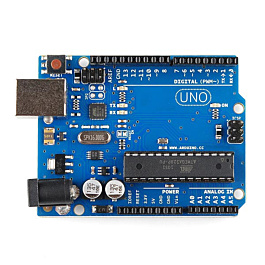
Convert bytes between bases with the programmer's base converter, explore Boolean logic with the logic gate truth table, or mix colours with the RGB LED colour mixer. Choosing a board for your display project? Read Arduino vs ESP32 vs Raspberry Pi Pico, and browse our kits.