🏆10 Robotics & Electronics Projects for School Science Exhibitions (Class 6–10, CBSE & State Board)
Ten robotics and electronics exhibition projects for Class 6–10, from a rain alarm to a Bluetooth car — with parts, build time, smart dustbin code, presentation tips, a poster layout and safety rules.

In this article (24)
- All 10 projects at a glance
- Beginner projects (Class 6–7)
- 1. Rain alarm
- 2. Automatic street light
- 3. Traffic light model
- Intermediate projects (Class 7–9)
- 4. Automatic plant waterer
- 5. Gas / smoke alert
- 6. Smart dustbin (with code)
- 7. Solar tracker
- Advanced projects (Class 8–10)
- 8. Line follower robot
- 9. Obstacle-avoiding car
- 10. Bluetooth-controlled car
- How to present your project to judges
- Making the chart or poster
- Safety rules for exhibition projects
- Get started
- Frequently asked questions
- Which project is best for a Class 6 student?
- Do I need to know coding for these projects?
- How early should we start preparing?
- Can we buy a ready-made project?
- What if the project stops working during the exhibition?
Every year, the school science exhibition brings the same question home: "What project should I make?" A volcano or a water filter is fine, but a project that senses, decides and moves stands out on any table — and teaches far more.
Here are 10 robotics and electronics project ideas for students of Class 6 to 10, suitable for State Board and CBSE school exhibitions in Maharashtra and across India. They are grouped from beginner to advanced, with the parts you need, how long they take, what judges tend to notice, and how to present your work with confidence.
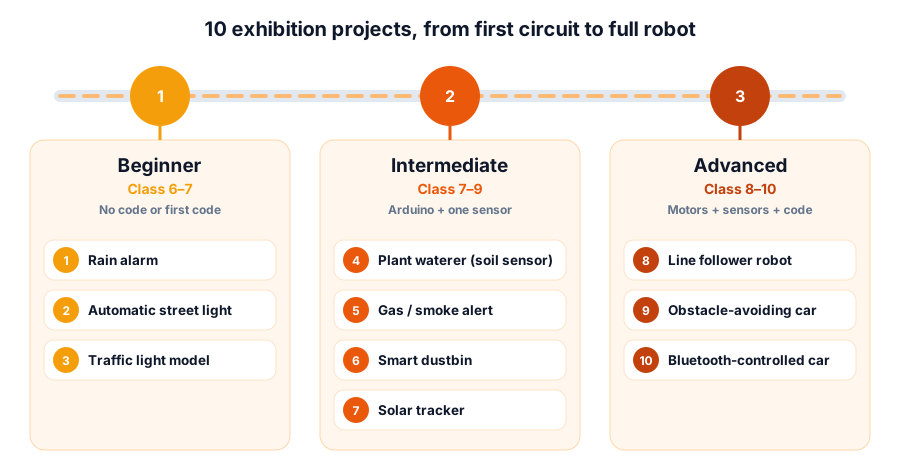 Pick a level you can finish two weeks before the exhibition, then improve it
All 10 projects at a glance
| # | Project | Class | Build time | Key parts | What judges notice |
|---|---|---|---|---|---|
| 1 | Rain alarm | 6+ | 1–2 hours | BC547 transistor, buzzer, copper strips, 9 V battery | Can you explain how water completes the circuit? |
| 2 | Automatic street light | 6+ | 2–3 hours | LDR, BC547, preset, LEDs | Energy saving; a clean demo in a bright hall |
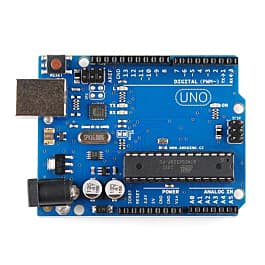
| 3 | Traffic light model | 6+ | 2–3 hours | Arduino Uno, 3 LEDs, 220 Ω resistors | Your own timing logic, a neat road model |
| 4 | Plant waterer | 7+ | 1 weekend | Arduino, soil-moisture sensor, relay module or MOSFET, 5 V mini pump | Water saving, readings of dry vs wet soil |
| 5 | Gas / smoke alert | 7+ | 1 day | Arduino, MQ-2 sensor module, buzzer, LED | Home safety; you understand the sensor's warm-up |
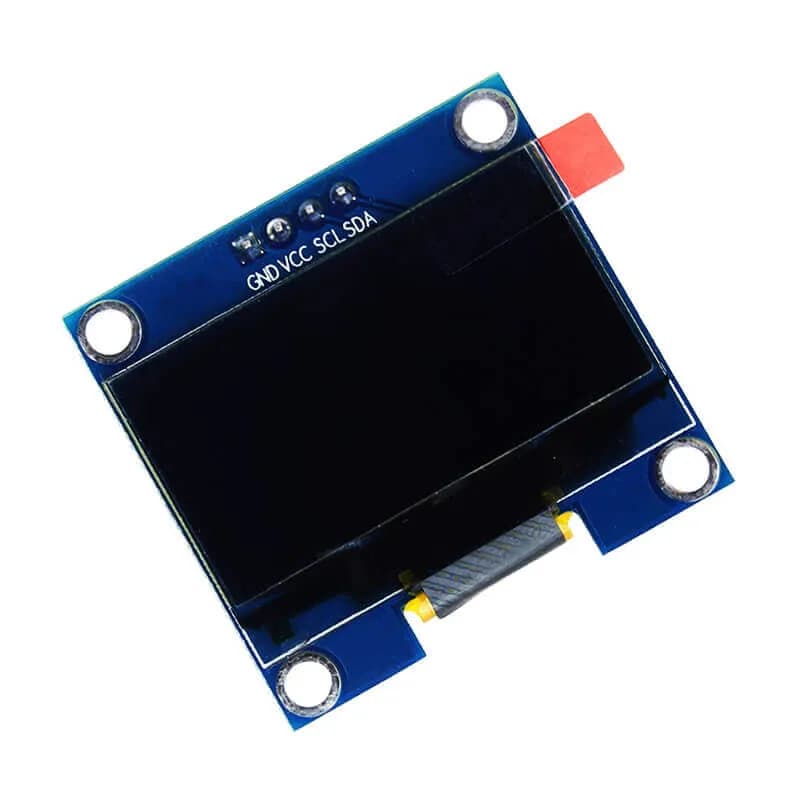
| 6 | Smart dustbin | 7+ | 1 day | Arduino, HC-SR04 ultrasonic sensor, SG90 servo | Hygiene; smooth, reliable lid movement |
| 7 | Solar tracker | 8+ | 1 weekend | Arduino, 2 LDRs, SG90 servo, small solar panel | Measured gain vs a fixed panel |
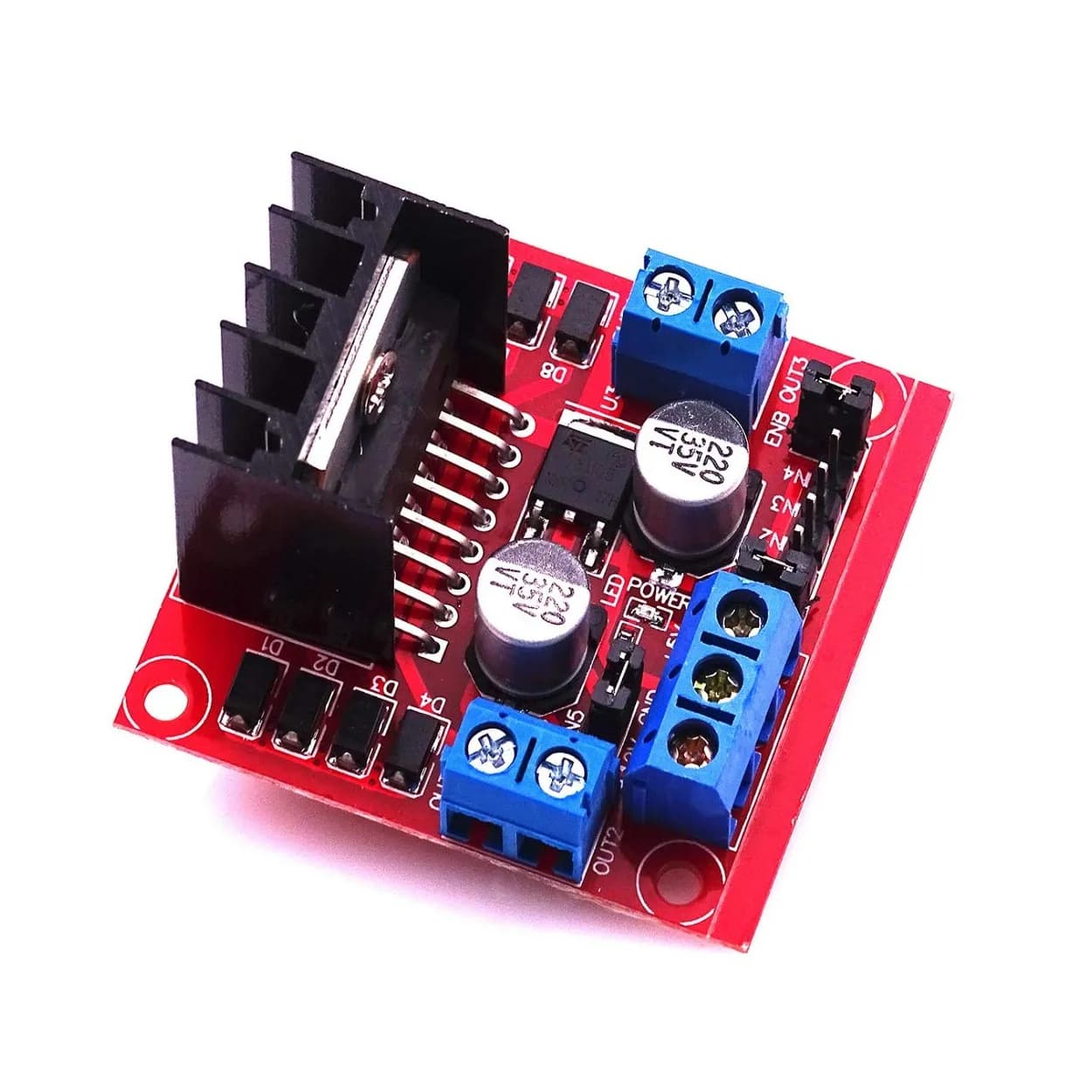
| 8 | Line follower robot | 8+ | 1–2 weekends | Arduino, 2 IR sensors, L298N, 2 gear motors, chassis | Smooth following, tuning on curves |
| 9 | Obstacle-avoiding car | 8+ | 1–2 weekends | Arduino, HC-SR04, L298N, motors, chassis | Decision logic, safe stopping distance |
| 10 | Bluetooth car | 8+ | 1–2 weekends | Arduino, HC-05 module, L298N, motors, phone app | Wireless control, clean wiring |
Build times are for a first attempt with all parts ready. Allow extra time for testing — it is the part everyone underestimates.
Beginner projects (Class 6–7)
1. Rain alarm
Two copper strips sit close together without touching. When rain falls on them, the water carries a tiny current into a transistor, which switches on a buzzer. It is cheap, quick and perfect for explaining how a transistor acts as a switch. Our electronics experiments for kids has the full circuit and step-by-step build.
Make it exhibition-ready: mount the sensor on a model roof and add a small LED alongside the buzzer for noisy halls.
2. Automatic street light
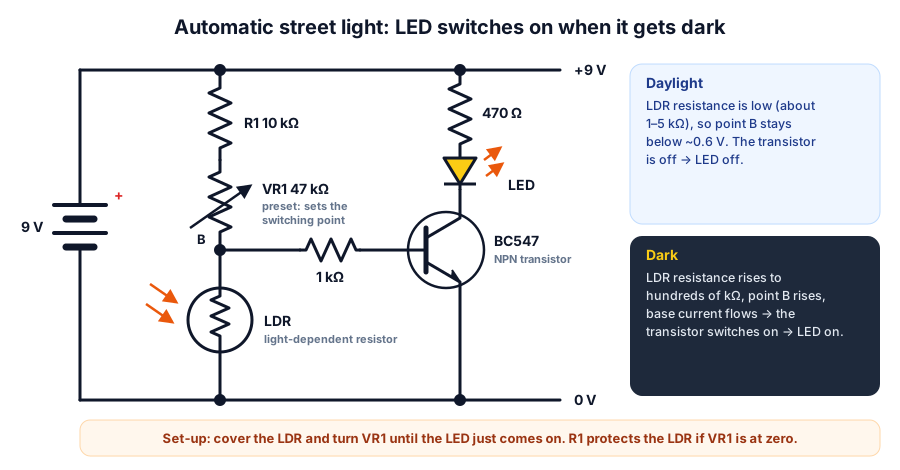 In the dark, the LDR's resistance rises, point B rises, and the transistor turns the LED on
An LDR (light-dependent resistor) has low resistance in light and very high resistance in darkness. Together with R1 and VR1 it forms a voltage divider: in the dark, the voltage at point B rises above about 0.6 V and switches the transistor on. You can explore the divider maths with the voltage divider calculator.
Build steps: connect R1 (10 kΩ) and VR1 (47 kΩ preset) in series from +9 V to point B, the LDR from B to 0 V, a 1 kΩ resistor from B to the BC547's base, the emitter to 0 V, and the LED with a 470 Ω resistor from +9 V to the collector. Cover the LDR and adjust VR1 until the LED just turns on. The LED current is about (9 − 2) ÷ 470 ≈ 15 mA — check it with the LED resistor calculator.
Make it exhibition-ready: build a model road with three or four street lights (one transistor and resistor per light), and bring a cardboard box to cover the LDR — exhibition halls are bright.
3. Traffic light model
The classic first Arduino project: three LEDs (red, yellow, green), each with a 220 Ω resistor, on pins 8, 9 and 10. Write the sequence yourself — green 5 s, yellow 2 s, red 5 s — then add a pedestrian push button. It shows programming, timing and road safety together.
Intermediate projects (Class 7–9)
4. Automatic plant waterer
A soil-moisture sensor tells the Arduino when the soil is dry; the Arduino switches a small 5 V water pump through a relay module or a MOSFET (with a diode across the pump). Collect readings from dry and freshly watered soil and show them on your chart — real data is very persuasive.
5. Gas / smoke alert
The MQ-2 module senses smoke and gases such as LPG. Read its analog output with the Arduino and sound a buzzer and red LED above a threshold. Explain to judges that the sensor has a small heater inside and needs a few minutes to warm up before readings settle. Test it only with smoke from a blown-out incense stick, with an adult present — never with an LPG cylinder or open flame.
6. Smart dustbin (with code)
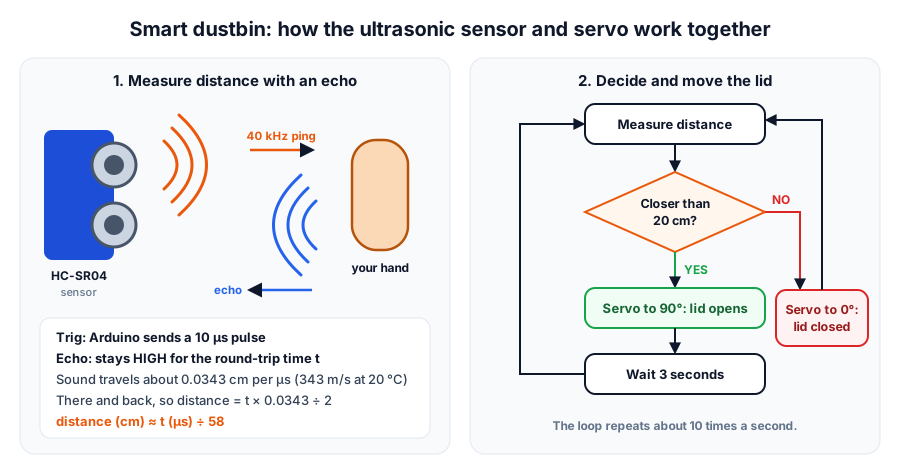 The sensor measures distance by timing an echo; the Arduino decides; the servo moves the lid
A hand near the bin opens the lid automatically — no touching. The HC-SR04 sends a burst of ultrasound and times the echo. Sound travels about 343 m/s at 20 °C, so each centimetre of distance adds about 58 µs to the round trip. Try other echo times in the ultrasonic distance calculator.
| Part | Pin | Arduino Uno |
|---|---|---|
| HC-SR04 | VCC | 5V |
| HC-SR04 | Trig | D9 |
| HC-SR04 | Echo | D10 |
| HC-SR04 | GND | GND |
| SG90 servo | Orange (signal) | D6 |
| SG90 servo | Red (+) | 5V |
| SG90 servo | Brown (−) | GND |
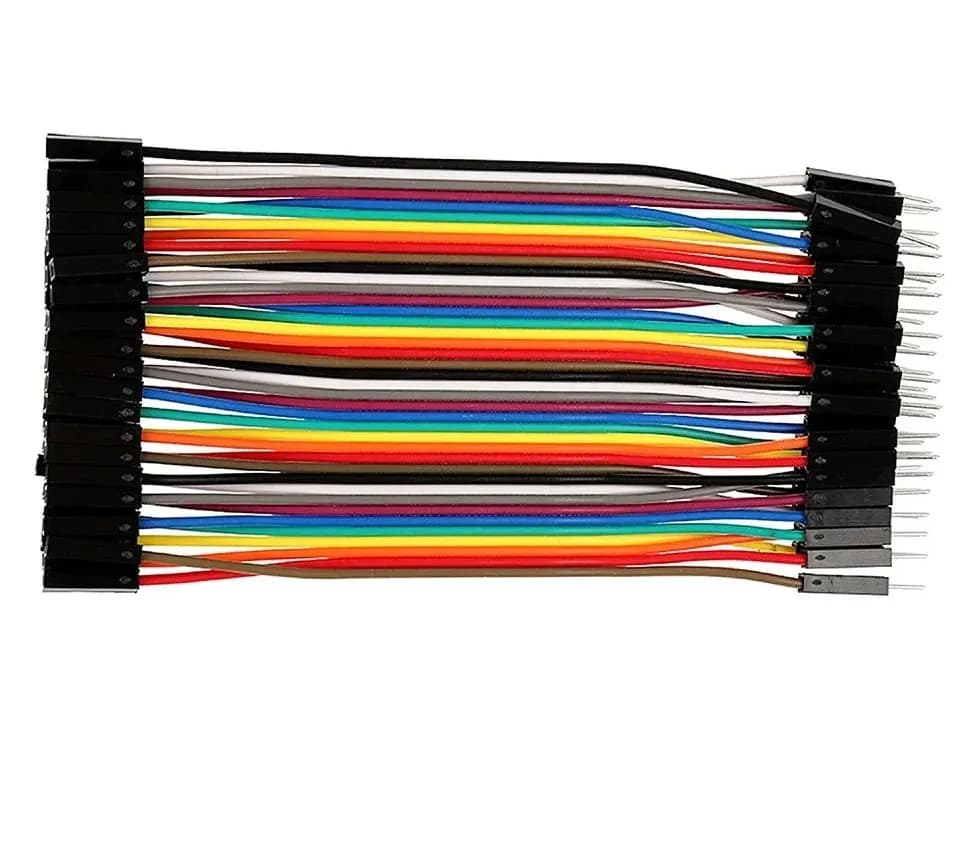
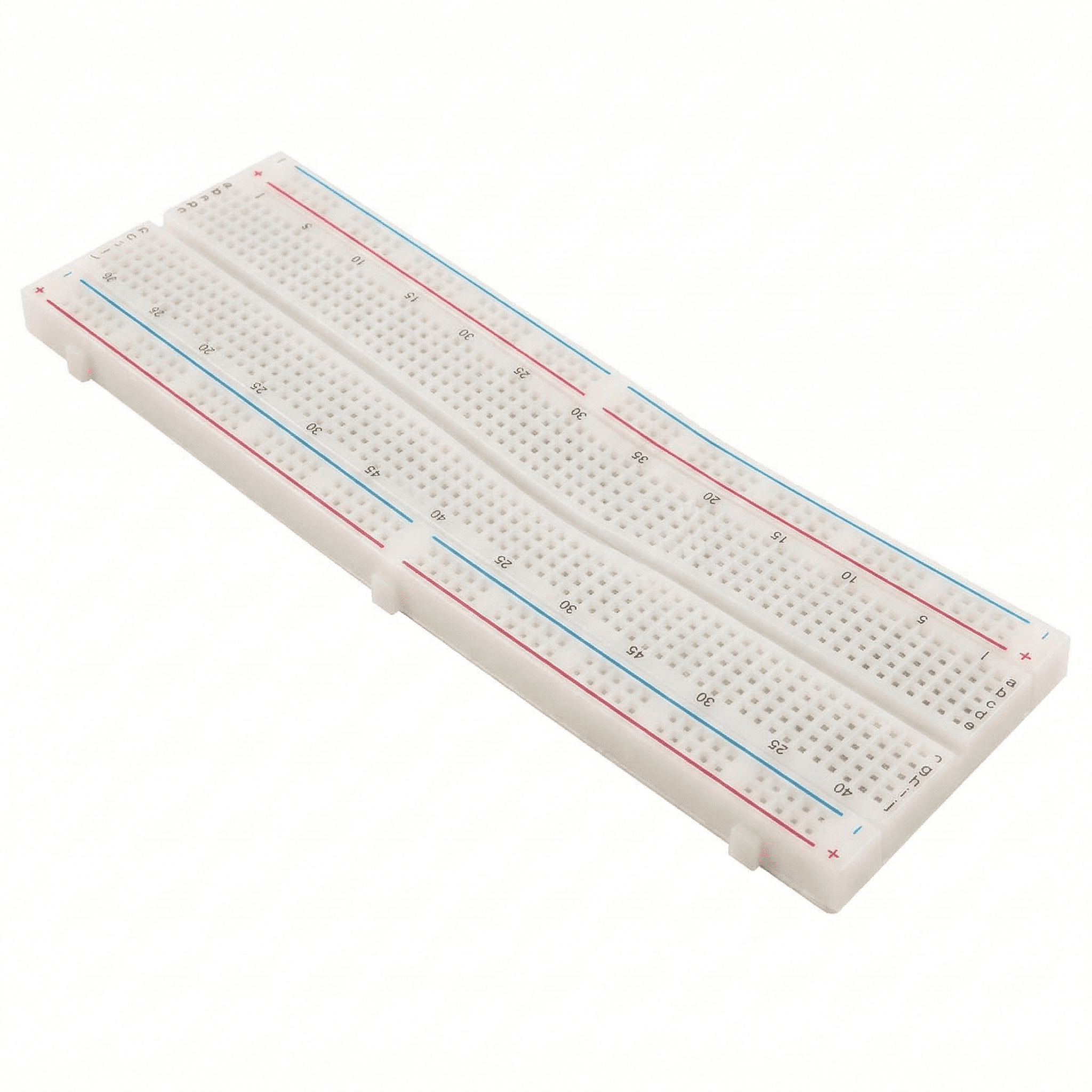
Use a breadboard's power rails to share 5V and GND, and place a 470 µF capacitor (16 V or more, stripe to GND) across the rails to steady the supply when the servo moves. New to servos? Our SG90 servo guide explains the wiring and angles.
#include <Servo.h>

const int TRIG_PIN = 9;
const int ECHO_PIN = 10;
const int SERVO_PIN = 6;
const int OPEN_ANGLE = 90;     // adjust to suit your lid
const int CLOSED_ANGLE = 0;
const int TRIGGER_CM = 20;     // open when a hand is closer than this

Servo lid;

long readDistanceCm() {
  digitalWrite(TRIG_PIN, LOW);
  delayMicroseconds(2);
  digitalWrite(TRIG_PIN, HIGH);          // 10 µs pulse starts a measurement
  delayMicroseconds(10);
  digitalWrite(TRIG_PIN, LOW);
  long us = pulseIn(ECHO_PIN, HIGH, 30000UL);   // wait up to 30 ms
  if (us == 0) return 999;               // no echo: nothing in range
  return us / 58;                        // round trip: about 58 µs per cm
}

void setup() {
  pinMode(TRIG_PIN, OUTPUT);
  pinMode(ECHO_PIN, INPUT);
  lid.attach(SERVO_PIN);
  lid.write(CLOSED_ANGLE);
  Serial.begin(9600);
}

void loop() {
  long distance = readDistanceCm();
  Serial.println(distance);
  if (distance < TRIGGER_CM) {
    lid.write(OPEN_ANGLE);
    delay(3000);                         // keep the lid open for 3 s
  } else {
    lid.write(CLOSED_ANGLE);
  }
  delay(100);
}
7. Solar tracker
Two LDRs sit on either side of a small divider wall on top of a solar panel. Each forms a voltage divider with a 10 kΩ resistor into A0 and A1. If one side is brighter, the Arduino turns an SG90 servo towards it until both readings match. Then compare: measure the current the panel delivers into a small load (a resistor or a small motor) with tracking switched on and with the panel fixed, at the same time of day, and put the numbers on your chart.
Advanced projects (Class 8–10)
8. Line follower robot
Two infrared sensors look down at a black line on a white sheet. If the left sensor sees black, turn left; if the right sees black, turn right. Speed control uses PWM — see PWM explained — and the full build, including PID control for smoother turns, is in our line-following robot guide.
9. Obstacle-avoiding car
Mount the HC-SR04 at the front of a two-wheel robot. Drive forwards; if something is closer than about 20 cm, stop, reverse a little and turn. Our HC-SR04 obstacle-avoiding robot guide walks through the complete build, and the L298N motor driver guide covers the motor wiring and steering.
10. Bluetooth-controlled car
An HC-05 module receives commands from a phone app and the Arduino drives the motors through an L298N. The HC-05's RX pin is a 3.3 V input, so feed it from the Arduino's TX through a 1 kΩ / 2 kΩ voltage divider (5 V × 2 ÷ 3 ≈ 3.3 V). See the complete design in our Bluetooth car guide.
How to present your project to judges
Most judges spend only a few minutes at each table. Prepare a one-minute explanation and practise it out loud:
- Problem: "Wet waste bins spread germs because everyone touches the lid."
- Solution: "Our bin opens by itself when it senses a hand."
- Demo: show it working — straight away.
- Science: "The sensor times an ultrasonic echo; sound travels 343 metres per second."
- Results and improvements: show your readings and what you would add next.
| Judges often ask | A strong answer includes |
|---|---|
| How does it work? | The sensor, the decision and the output, in your own words |
| Why did you choose this part or value? | A reason, e.g. "470 Ω keeps the LED near 15 mA" |
| What problems did you face? | One real problem and how you fixed it |
| Where can it be used? | A real place: homes, farms, hospitals, roads |
| What would you improve? | One specific, sensible upgrade |
Making the chart or poster
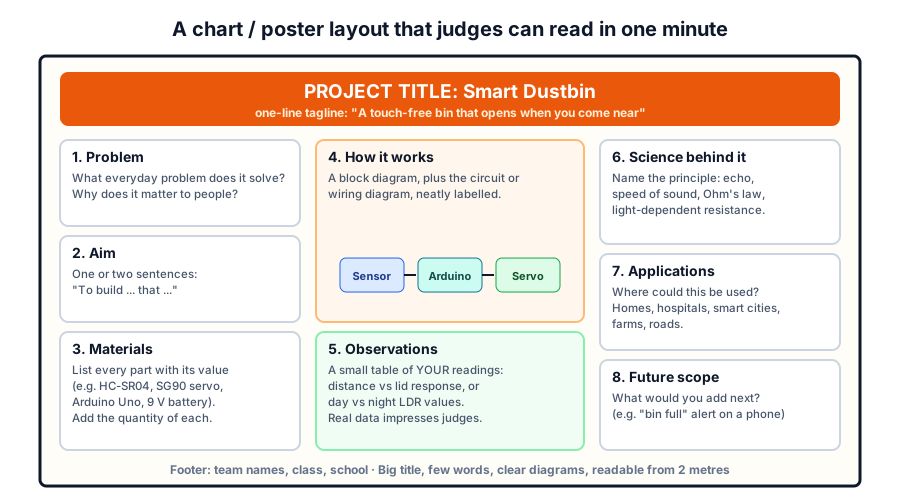 Big title, few words, clear diagrams — readable from two metres away
- Use a large title and short headings; judges should understand the idea from two metres away.
- Draw the block diagram (sensor → Arduino → output) and the circuit diagram neatly, with labels.
- Add an observations table with your own measurements — it shows real scientific work.
- Write applications and future scope in short bullet points, not paragraphs.
Safety rules for exhibition projects
- Use batteries, USB power banks or 5–12 V adapters only. Do not use a relay to switch 230 V mains appliances in a school project.
- Lithium-ion cells need a proper charger and protection; an adult should handle them.
- Keep water (plant waterer, rain alarm) away from the Arduino and batteries.
- Solder only with adult supervision, in a ventilated space, wearing safety glasses.
- Never test a gas sensor with LPG or an open flame.
Get started
All the parts above — Arduino boards, sensors, servos, motors, L298N drivers, chassis and breadboards — are available in our robotics kits and components store. New to circuits? Start with breadboard basics and the Ohm's law calculator. For schools and groups in Pune and nearby, our team runs hands-on workshops where students build and present a working project.
Frequently asked questions
Which project is best for a Class 6 student?
The rain alarm or the automatic street light. Both use only a few parts and no code, so a Class 6 student can build them and explain every component, which matters more to judges than complexity.
Do I need to know coding for these projects?
Projects 1 and 2 need no code. The others use Arduino, which is programmed in a simplified form of C++. A traffic light model is a gentle first program, and most sketches for these projects are under 60 lines.
How early should we start preparing?
Start three to four weeks before the exhibition. Aim to have the project working two weeks early, so the remaining time goes into testing, the chart and practising the explanation.
Can we buy a ready-made project?
Judges usually ask detailed questions, and it quickly becomes clear who built the project. Buying a kit of parts is fine — building, testing and explaining it yourself is what earns marks.
What if the project stops working during the exhibition?
Carry spare batteries and jumper wires, and keep photos or a short video of it working. Calmly explaining what went wrong and how you would fix it is itself good science.
Try the calculators
Servo Pulse Width Calculator
Convert servo angle to pulse width (µs) and back for SG90 and standard servos, with duty cycle, writeMicroseconds and ESP32 LEDC values.
Stepper Motor Steps per mm Calculator
Find steps/mm for GT2 belts and lead screws from step angle and microstepping, with resolution, max feed rate and Marlin/GRBL settings.
Logic Gate Truth Table Generator
See the symbol, truth table and Boolean expression of AND, OR, NOT, NAND, NOR, XOR and XNOR gates, or build a truth table from any expression.
RGB LED Color Mixer
Mix any colour and get hex, RGB565, Arduino PWM values for common-cathode or common-anode RGB LEDs, resistor values and ready-to-copy code.
Thinking Robot Team
Thinking Robot is a team of engineers and educators in Pune who design electronics and robotics kits and run hands-on workshops for students and schools. Spotted a mistake or have a question? Get in touch.