🤖Robotics Classes for Kids in Pune: A Parent's Guide (What They Learn, What to Look For)
A practical guide for Pune and Maharashtra parents: what kids learn in robotics classes at each age, class vs home kit vs workshop, what a good class looks like, questions to ask and a weekly at-home plan.
In this article (15)
- What do kids learn in robotics classes?
- Robotics class vs home kit vs workshop
- How to choose robotics classes for kids in Pune
- Questions to ask before enrolling
- Pune practicalities
- A weekly at-home learning plan
- Hands-on: a 45-minute weekend starter activity
- How to keep kids engaged
- Where Thinking Robot fits
- Frequently asked questions
- What is the right age to start robotics classes?
- Are online robotics classes as good as offline classes?
- Does my child need a laptop?
- How much do robotics classes for kids cost in Pune?
- Will robotics help with school studies?
If you are comparing robotics classes for kids in Pune, you have probably noticed that every brochure promises "coding, AI and robotics" — but the sessions themselves can be very different. This guide helps parents in Pune and across Maharashtra understand what children actually learn at each age, whether a class, a home kit or a workshop suits your child, what a good class looks like, and how to keep the learning going at home.
A good robotics class gives every child real hands-on building time in each session, keeps batches small enough for the trainer to check every team's work, follows a clear coding path from blocks to text code, and teaches safe habits. Before enrolling, ask for the syllabus or a trial session, ask how much of each session is spent building, and find out whether your child gets a kit to practise with at home.
What do kids learn in robotics classes?
Children learn to build a machine, wire its electronics and program it to sense and respond — and the balance between these changes with age. Younger children spend most of the time building and sequencing; teenagers spend more time on circuits and code.
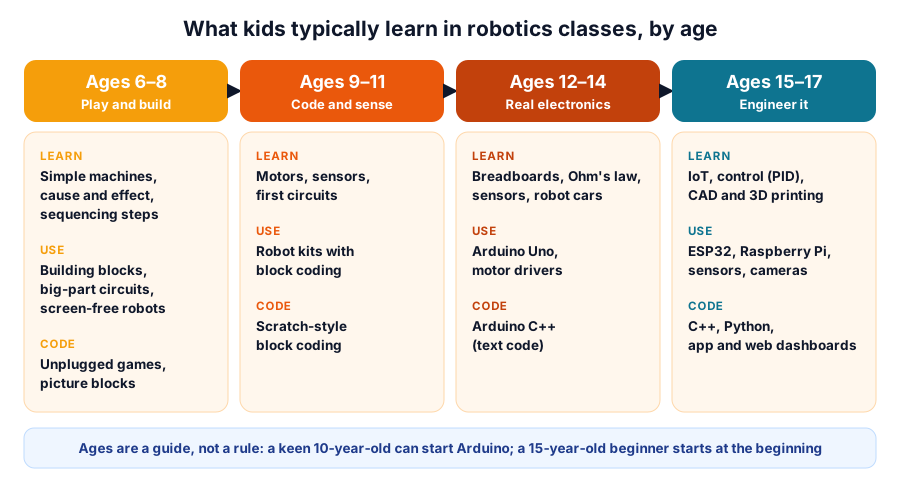 A typical progression — your child's starting point depends on experience, not just age
| Age | Typical focus | Coding style | Your child may be ready if they… |
|---|---|---|---|
| 6–8 | Simple machines, cause and effect, sequencing | Unplugged games, picture blocks | Enjoy building blocks and following steps |
| 9–11 | Motors, sensors, first robot builds | Block coding such as Scratch | Ask "how does it work?" and like puzzles |
| 12–14 | Circuits on a breadboard, Arduino, robot cars | Arduino C++ (text code) | Can type comfortably and debug patiently |
| 15–17 | IoT, control systems, CAD and 3D printing | C++, Python, dashboards | Want to build something useful or compete |
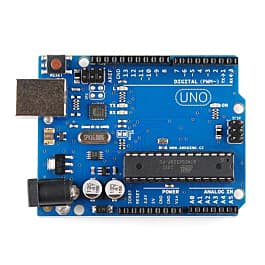
Text-based coding usually starts with the Arduino, which is programmed in a simplified C++ — the Arduino documentation is a good reference for older children. Our Arduino projects for beginners shows the kind of step-by-step path a good course should follow.
Robotics class vs home kit vs workshop
A weekly class gives structure and a teacher, a home kit gives practice time, and a workshop is a low-commitment way to try robotics or learn one new skill. Most children do best with a combination.
| Format | Best for | Strengths | Watch out for | Parent time needed |
|---|---|---|---|---|
| Weekly class | Steady progress over months | Teacher feedback, peers, a planned syllabus | Little building time in large batches | Drop-off, pick-up, light follow-up |
| Home kit | Self-motivated children | Practise any time, at your child's pace | Getting stuck without help | More, especially for under-10s |
| One-day workshop | Trying robotics; learning one new topic | Short, intense, social, no long commitment | Skills fade without follow-up practice | Low |
| Class + home kit | Most children aged 9+ | Structure plus practice | Make sure the kit matches the syllabus | Moderate |
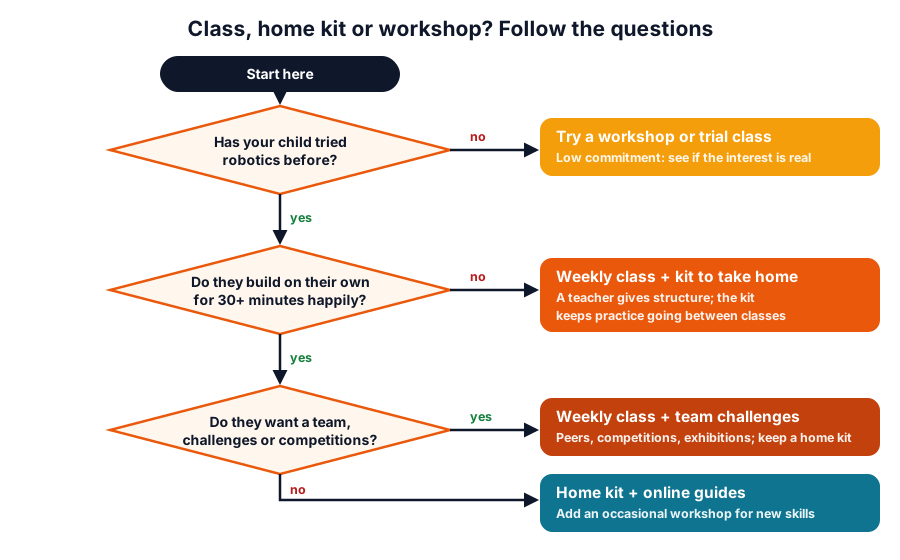 Three questions to choose a starting format
If you are choosing a kit as a gift, our engineering gift kits for kids guide matches kits to ages.
How to choose robotics classes for kids in Pune
Look at how the time is spent, not at the length of the topic list. These are the factors that matter most:
| Factor | Good sign | Red flag |
|---|---|---|
| Hands-on time | Most of each session is spent building and testing | Mostly slides, videos or watching the trainer |
| Batch size | Small enough for the trainer to check every team's work each session | Children waiting a long time for help |
| Kit to take home | A kit (included or optional) that matches the syllabus | Kit stays at the centre; no way to practise |
| Coding progression | A clear path: blocks → Arduino C++ → Python/IoT | Same block-coding level for years |
| Safety | Low-voltage projects, supervised soldering, battery rules | Mains wiring, unsupervised hot tools |
| Trainer | Can explain why a circuit works, not just copy steps | Answers only "follow the video" |
| Projects | Your child brings home or records a working project | Only certificates, nothing your child can show |
| Feedback | Regular updates on what your child can now do | No progress information |
Questions to ask before enrolling
- Can my child attend a trial session or see the syllabus for the full course?
- How many children are in a batch, and how many trainers?
- In a typical session, how many minutes are spent building and testing?
- Does each child (or each pair) get their own kit during class?
- Is there a kit my child can take home? Is it included or extra?
- What will my child be able to build by the end of the term?
- When does the course move from block coding to text coding?
- How do you handle safety — soldering, batteries, tools?
- What happens if my child misses a class?
- What is the total cost: fees, kit, materials and any competition or certificate charges?
Pune practicalities
- Travel time: a class close to home or school is easier to sustain for months. Weekend or after-school batches that fit around tuition and sports are worth more than a "better" class you cannot attend regularly.
- School first: many schools run tinkering or robotics clubs, and some have an Atal Tinkering Lab under the Atal Innovation Mission (aim.gov.in). Ask your child's school what it offers — our Atal Tinkering Lab guide explains what such a lab contains.
- Exhibition season: a robotics project makes a strong entry for school science exhibitions — see these exhibition project ideas.
- Monsoon months: indoor build projects are a good use of rainy weekends; try our electronics experiments for kids, including a monsoon rain alarm.
- Collecting parts: if you are in Pune, you can order kits and parts online and collect them with store pickup.
A weekly at-home learning plan
Short, regular practice helps children remember what they built in class. This plan adds up to about two hours a week.
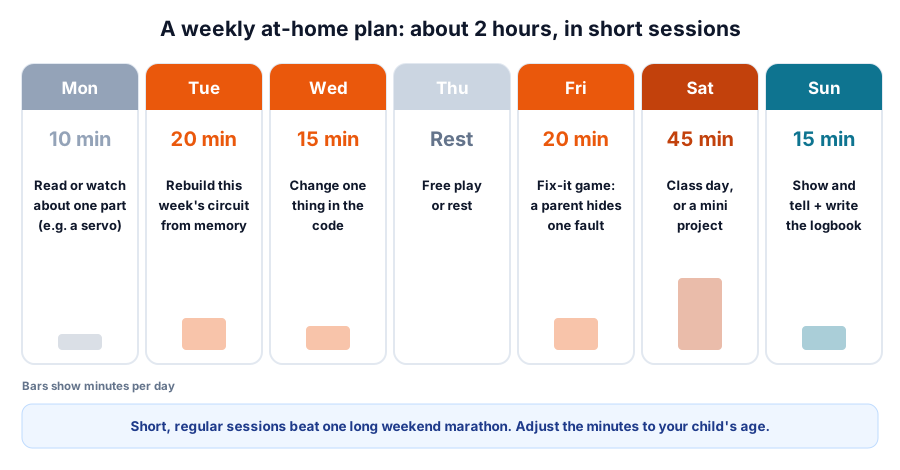 About 125 minutes a week, spread over six short sessions
| Day | Time | Activity | Why it helps |
|---|---|---|---|
| Mon | 10 min | Read or watch about one component | Builds vocabulary |
| Tue | 20 min | Rebuild this week's circuit from memory | Proves real understanding |
| Wed | 15 min | Change one thing in the code (speed, timing, a sound) | Confidence to experiment |
| Thu | — | Rest or free play | Avoids burnout |
| Fri | 20 min | Fix-it game: a parent removes or swaps one wire | Debugging, patience |
| Sat | 45 min | Class day, or a mini project at home | New skills |
| Sun | 15 min | Show and tell; write two lines in a logbook | Explaining = learning |
For children under 10, halve the times and sit with them. For teenagers, let them set their own goals and use the plan as a checklist.
Hands-on: a 45-minute weekend starter activity
Try this before you spend on a course. If your child enjoys it, robotics is likely a good fit.
Part 1 — "program the robot" (no electronics, 15 minutes)
- Your child writes instructions to move you from the sofa to the kitchen door: "forward 3 steps", "turn right", and so on.
- You follow them exactly — if they forget "turn left", you walk into the wall (gently!).
- Let them fix the "bugs" and try again. This is exactly how robots are programmed: precise steps, testing and debugging.
Part 2 — first circuit (30 minutes, ages 8+ with an adult)
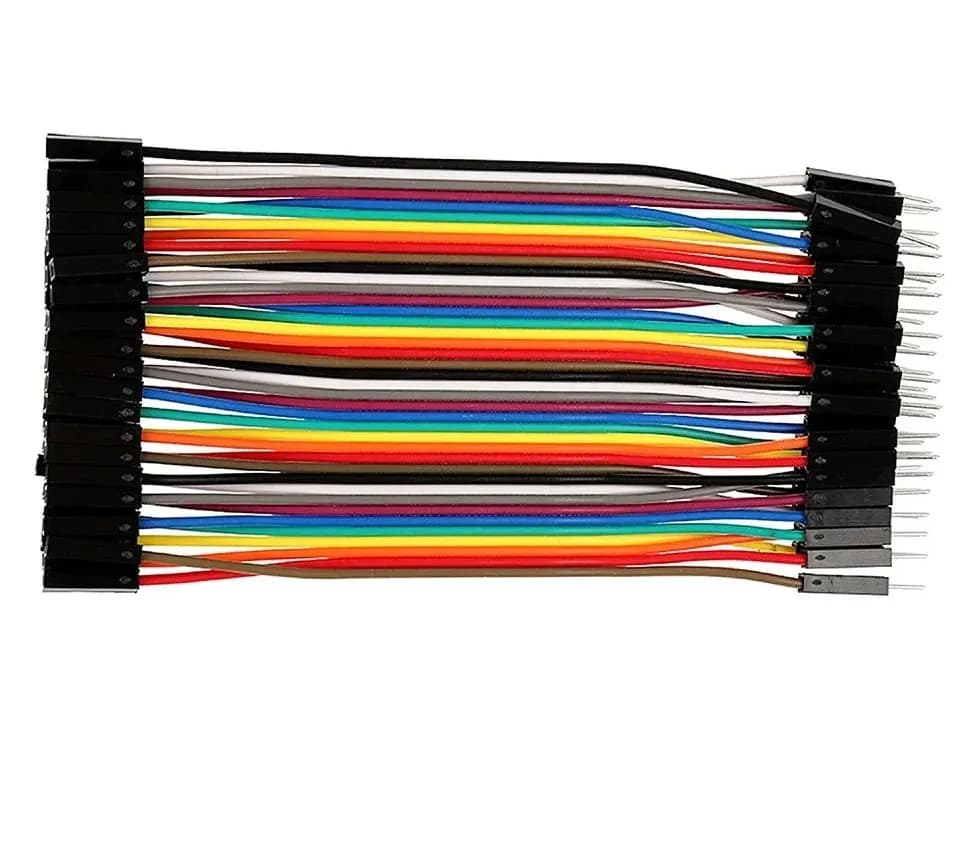
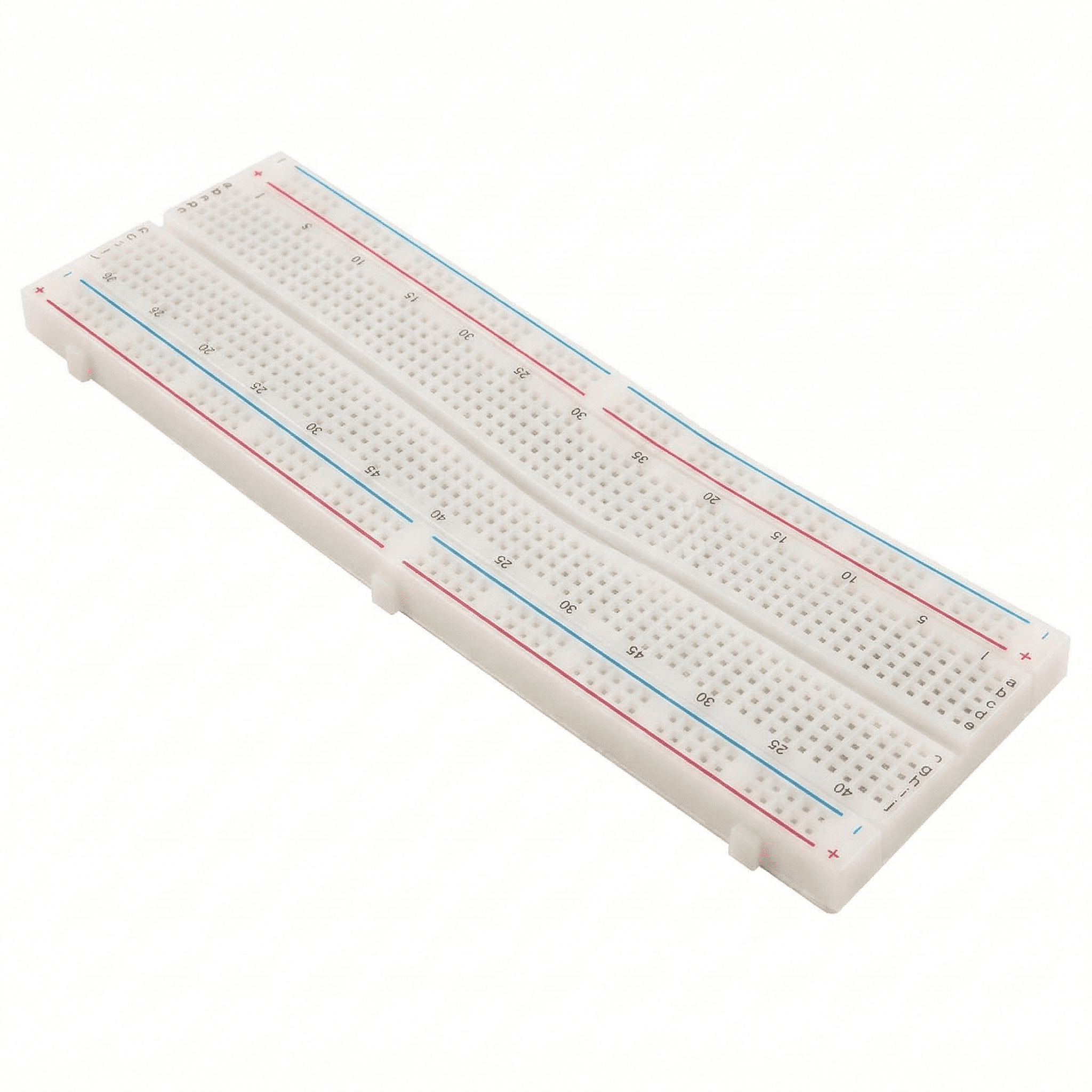
You need: a 2 × AA battery holder (3 V), a red LED, a 100 Ω resistor, a small breadboard and two jumper wires.
- Push the LED into the breadboard; note the long leg (+).
- Connect the battery's red wire → 100 Ω resistor → LED long leg.
- Connect the LED's short leg → battery black wire. The LED lights.
- Swap the LED around. It stays dark — LEDs only work one way.
- Ask: what does the resistor do? (It limits the current: (3 V − 2 V) ÷ 100 Ω = 10 mA.)
New to breadboards? See breadboard basics, and check other LED and battery combinations with the LED resistor calculator.
How to keep kids engaged
- Build around their interests: cricket score counters, a pet-feeder alarm, a robot that delivers sweets on Diwali.
- Let them fail safely: debugging is the most valuable skill robotics teaches. Resist fixing it for them.
- Give them an audience: grandparents on a video call, a school exhibition, a friend's birthday.
- Keep projects short: one finished small project beats an abandoned big one.
- Raise the level slowly: move to the next stage only after they can explain the last one.
- Take photos and videos: a simple portfolio shows progress over a year.
Where Thinking Robot fits
Thinking Robot is an electronics and robotics store based in Pune. We run hands-on robotics and electronics workshops for kids, schools and groups; PICO BOT is our modular robot kit for kids, and its page lists the current editions and suggested ages; and our kits cover beginner electronics, Arduino and IoT. Parents in Pune can collect orders through store pickup.
Frequently asked questions
What is the right age to start robotics classes?
Many children start structured robotics around 8–9, when they can follow multi-step instructions and enjoy block coding. Younger children benefit more from building toys and unplugged coding games at home.
Are online robotics classes as good as offline classes?
Online classes can teach coding well, but robotics is hands-on: your child needs a kit at home and an adult nearby to help with wiring. For under-12s, in-person sessions or workshops usually make the building part easier.
Does my child need a laptop?
For block coding a tablet may be enough, depending on the kit. For Arduino and text coding, a Windows, macOS or Linux laptop or desktop is needed to install the Arduino IDE and upload code over USB.
How much do robotics classes for kids cost in Pune?
Fees vary widely with course length, batch size, location and whether a kit is included. Ask every provider for the total cost — fees, kit, materials and any extra charges — so you compare like with like.
Will robotics help with school studies?
Robotics gives children a practical use for concepts they meet in science and maths, such as circuits, speed, angles and logic. It works best as a hobby your child enjoys, not as extra tuition.
Thinking Robot Team
Thinking Robot is a team of engineers and educators in Pune who design electronics and robotics kits and run hands-on workshops for students and schools. Spotted a mistake or have a question? Get in touch.