🧰Arduino Starter Kit Buying Guide for India: What a Good Kit Should Contain
What a good Arduino starter kit should contain and what each part teaches, original vs compatible Uno R3 boards, kit tiers for school, hobby and robotics, red flags and what to buy next.
In this article (13)
- What should an Arduino starter kit contain?
- Original Arduino Uno R3 vs compatible boards
- Which Arduino kit should you buy? Tiers by goal
- Red flags when buying an Arduino kit
- Arduino starter kit buying guide: the checklist
- Experiment: test every part on day one
- What to buy next
- Frequently asked questions
- Which Arduino starter kit is best for beginners in India?
- Is a compatible Arduino Uno as good as the original?
- What age is an Arduino starter kit suitable for?
- Do I need to know coding before buying an Arduino kit?
- Can I use an Arduino starter kit for a robot car?
This Arduino starter kit buying guide is for anyone in India comparing kits online or in a shop: students starting electronics, parents buying a first kit for a child, and teachers stocking a lab. Kits range from a board with a handful of LEDs to boxes with "200+ pieces", and the piece count tells you very little. What matters is whether the parts teach the right skills in the right order, and whether the kit will actually work on day one.
Below you will find the parts a good kit should contain and what each one teaches, a neutral comparison of the original Arduino Uno R3 and compatible boards, kit tiers for school projects, hobby learning and robotics, red flags, and what to buy next.
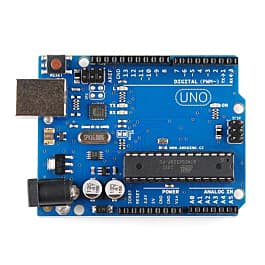
Short answer: a good Arduino starter kit contains an Uno R3 (original or compatible) with a USB data cable, an 830-point breadboard, jumper wires, LEDs with matching resistors, push buttons, a potentiometer, a light sensor, a buzzer, a few modules such as an ultrasonic sensor and a servo, and clear tutorials. Choose the tier by goal: sensors for school projects, displays and ICs for hobby learning, motors and a battery for robotics.
What should an Arduino starter kit contain?
A good kit covers four skills in order: outputs (LEDs, buzzer), inputs (buttons, potentiometer), sensors (light, distance, temperature) and actuators (servo, motor). This table lists the parts to look for and what each one teaches.
| Part | Good kits include | What it teaches | First project |
|---|---|---|---|
| Uno R3 board + USB data cable | 1 | Uploading code, digital and analog pins | Blink |
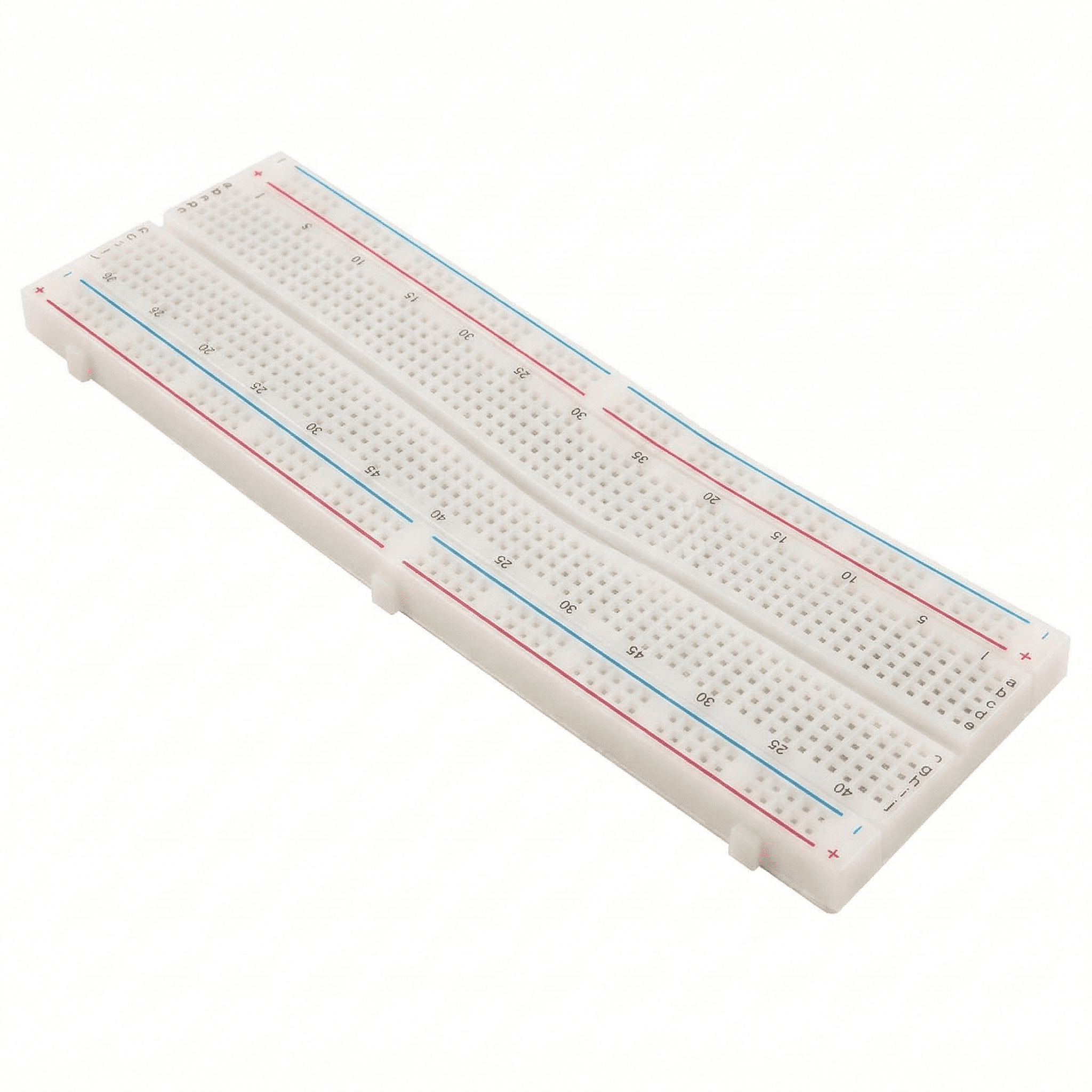
| Breadboard (830-point) | 1 | Building circuits without soldering | Every project |
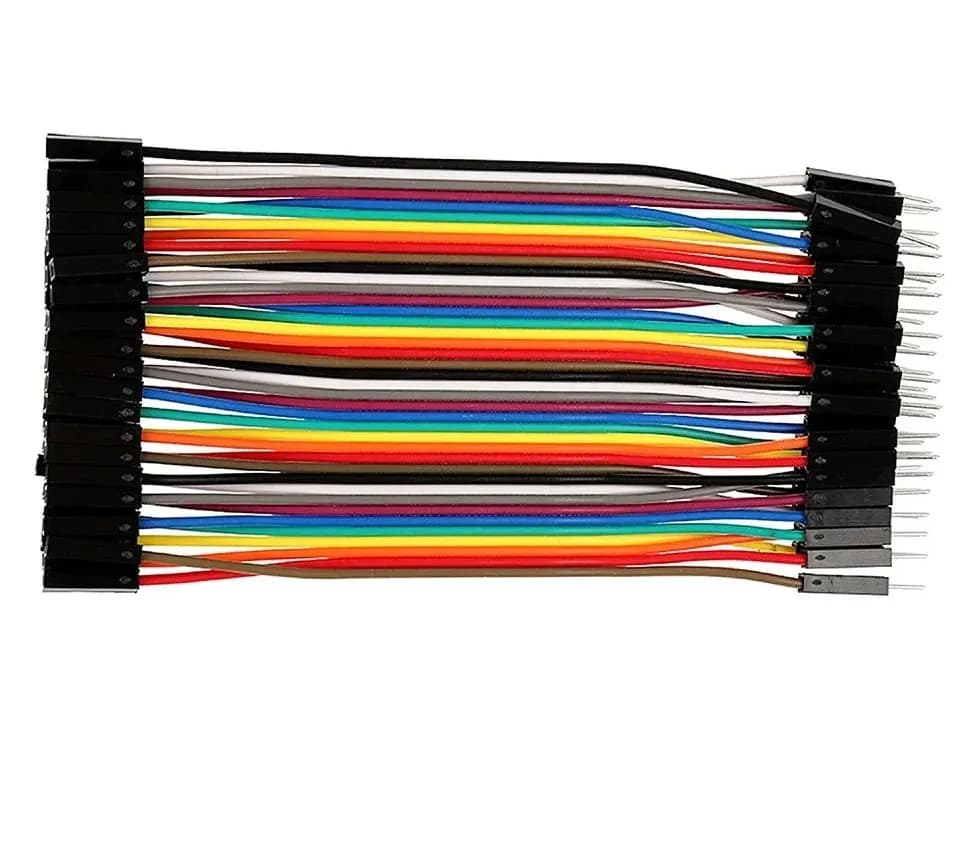
| Jumper wires (male-male, male-female) | 20 or more | Connecting modules neatly | Every project |
| LEDs (red, green, yellow) | 10 or more | Outputs, polarity, current limiting | Traffic light |
| Resistors 220 Ω / 330 Ω | 10 or more | Ohm's law, LED current | LED circuits |
| Resistors 1 kΩ and 10 kΩ | Several of each | Pull-up resistors, voltage dividers | Button, light sensor |
| Push buttons | 4 or more | Digital input, debouncing | Doorbell, game buzzer |
| 10 kΩ potentiometer | 1–2 | Analog input with analogRead() | LED dimmer |
| LDR (light-dependent resistor) | 1–2 | Sensors and dividers | Automatic night light |
| Passive buzzer | 1 | tone() and frequency | Melody player |
| RGB LED | 1 | PWM colour mixing | Mood lamp |
| HC-SR04 ultrasonic sensor | 1 | Timing with pulseIn() | Distance meter, smart dustbin |
| SG90 micro servo | 1 | Position control, separate power | Gauge pointer, gate |
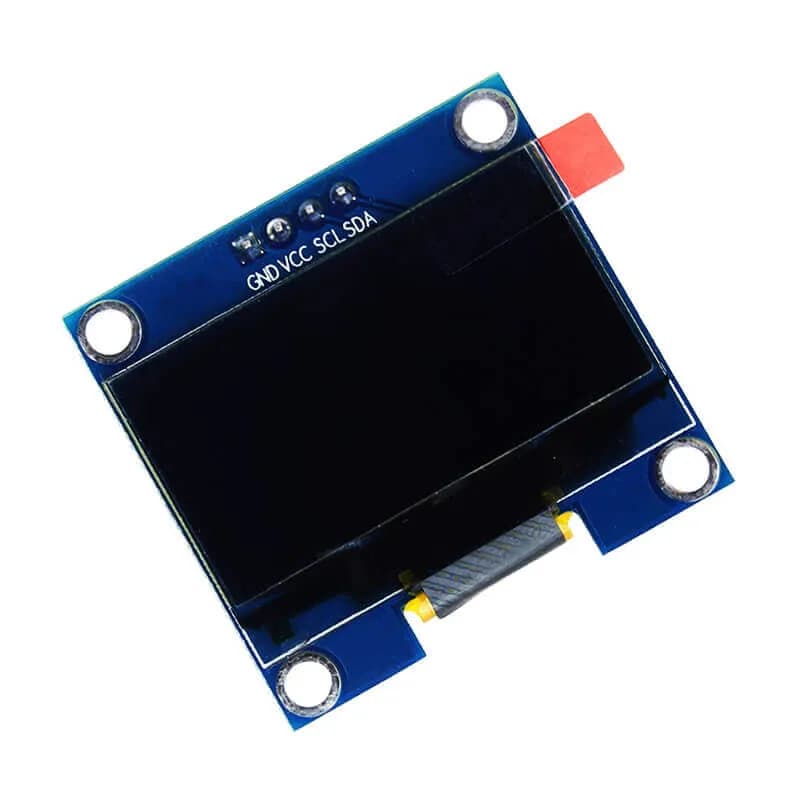
| 16×2 LCD with I²C backpack | 1 | Libraries and the I²C bus | Display sensor readings |
| DHT11 temperature/humidity sensor | 1 | Digital sensor libraries | Room weather station |
| 7-segment display + 74HC595 | 1 each | Binary and shift registers | Counter, dice |
| IR receiver + remote | 1 | Decoding signals | TV-remote-controlled light |
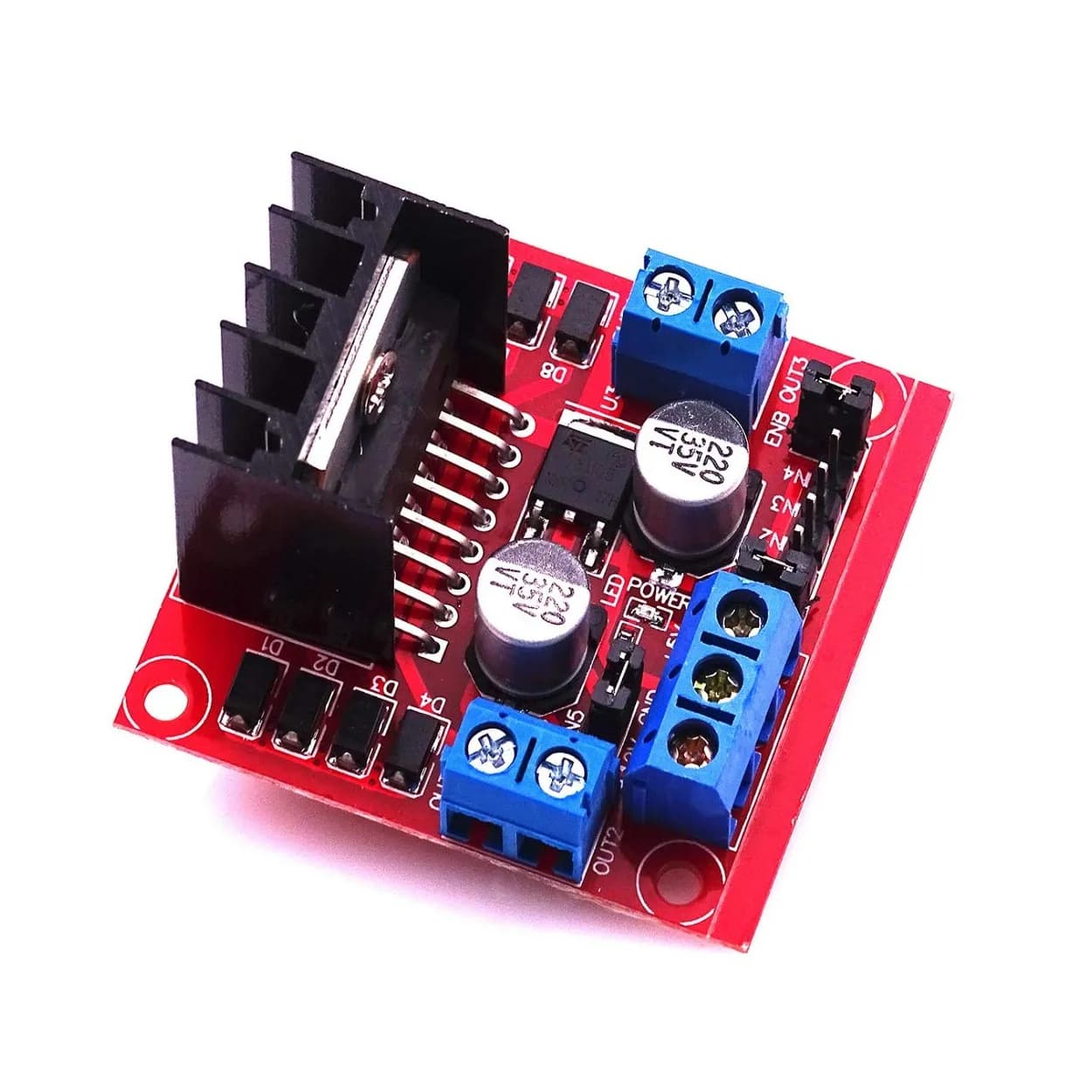
| Motor driver + small DC motor | 1 | H-bridge, direction and speed | Fan, robot wheel |
Check LED resistor values with our LED resistor calculator, read colour bands with the resistor colour code calculator, and experiment with colour mixing in the RGB LED colour mixer. For step-by-step projects built from exactly these parts, see Arduino projects for beginners with parts list.
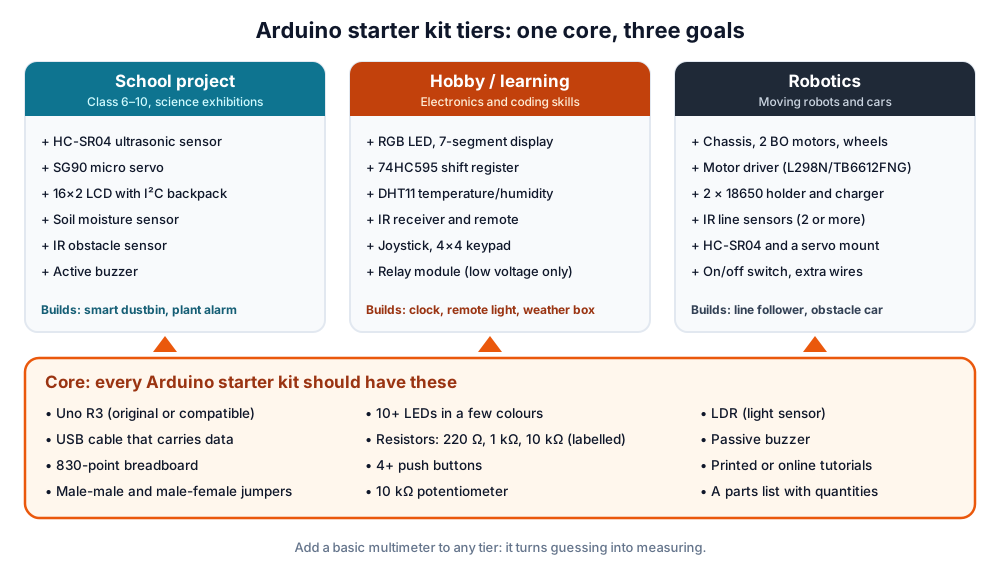 Every good kit shares the same core. The extras depend on your goal.
Original Arduino Uno R3 vs compatible boards
Both run the same sketches. The original Uno R3, made by Arduino, uses an ATmega16U2 as its USB-serial converter and an ATmega328P in a socket. Most compatible boards use the same ATmega328P with a CH340 USB-serial chip instead.
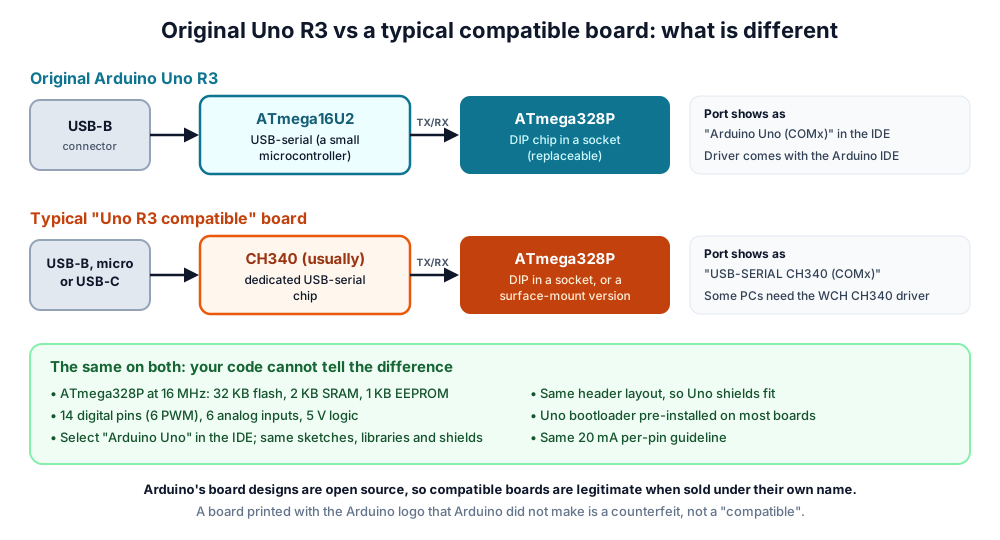 The microcontroller is the same; the USB-serial chip is usually the visible difference.
| Original Arduino Uno R3 | Typical Uno R3 compatible | |
|---|---|---|
| Microcontroller | ATmega328P, 16 MHz (DIP, socketed) | ATmega328P, 16 MHz (DIP or surface-mount) |
| Memory | 32 KB flash, 2 KB SRAM, 1 KB EEPROM | Same |
| USB-serial chip | ATmega16U2 | Usually CH340 |
| Driver | Installed with the Arduino IDE | Some PCs need the WCH CH340 driver |
| Shows in the IDE as | "Arduino Uno" | A plain serial port; choose "Arduino Uno" yourself |
| USB connector | USB-B | USB-B, micro-USB or USB-C |
| Code, libraries, shields | Reference | Same in practice |
| Who it supports | Arduino's development of the IDE and docs | The board maker |
| Build quality | Consistent | Varies by maker; buy from a seller who supports you |
The figures above match Arduino's official Uno Rev3 documentation and Microchip's ATmega328P page. Arduino publishes its board designs as open-source hardware, so compatible boards are legitimate when sold under their maker's own name. A board printed with the Arduino logo that Arduino did not make is a counterfeit.
Which should you buy? If you want to support the Arduino project, or a school wants the documented reference board, buy an original. If budget matters more, a well-made compatible board teaches exactly the same skills. Either way, the newer Arduino Uno R4 (Minima and WiFi) is also an option: it keeps 5 V logic and the Uno shape but uses a 32-bit Renesas RA4M1 chip with 32 KB SRAM (Uno R4 Minima docs).
Which Arduino kit should you buy? Tiers by goal
Choose the kit by what you want to build in the next three months, not by the biggest box.
| Your goal | Kit to look for | Must-have extras | Skip for now |
|---|---|---|---|
| First experiments at home (age 10 and up, with an adult) | Basic starter kit (core parts) | Printed or online tutorials | Motors, relays |
| School science project or exhibition | Starter kit + sensors | HC-SR04, servo, LCD, soil moisture sensor | Big displays |
| Learning electronics properly (hobby) | Larger learning kit | 7-segment, 74HC595, DHT11, IR remote, keypad | Robot chassis |
| Robot car or line follower | Robotics kit | Motor driver, 2 BO motors, chassis, 2 × 18650 holder and charger, IR line sensors | LCD |
| Wi-Fi, phone or IoT projects | ESP32 kit instead | ESP32 DevKit, sensors, data cable | Uno-only shields |
Teachers setting up a school lab can compare this with our Atal Tinkering Lab equipment guide. Building something for the next exhibition? Our science exhibition project ideas list the parts each project needs. For Wi-Fi projects, read which ESP32 board to buy before you choose.
Red flags when buying an Arduino kit
| Red flag | Why it matters |
|---|---|
| No resistors listed, or LEDs "connect directly to pins" | LEDs and pins can be damaged; the kit teaches a bad habit |
| A 9 V PP3 battery is the only power for motors | PP3 batteries cannot supply motor current; robots crawl and reset |
| No parts list with quantities | You cannot check what you received |
| Piece count padded with jumper wires and resistors | "200+ pieces" may hold fewer useful modules than a smaller kit |
| No tutorials, code or support | Beginners get stuck on the first error |
| USB cable missing or charge-only | The board powers up but never shows a port |
| Loose lithium cells with no charger or protection | Safety risk, especially for children |
| Relay projects shown switching 230 V mains for students | Mains wiring is dangerous; students should switch low-voltage loads only |
Arduino starter kit buying guide: the checklist
Tick these before you pay, online or at our Pune store.
| Check | Why |
|---|---|
| Uno R3 (or R4) named, USB chip named | Tells you which driver you may need |
| USB data cable included, connector matches the board | First upload works |
| 830-point breadboard | Room for two or three modules at once |
| LEDs and 220 Ω/330 Ω resistors | Safe first circuits |
| At least one analog input part (potentiometer, LDR) | Teaches analogRead() |
| At least two sensors and one actuator | Real projects, not just blinking |
| Tutorials with wiring diagrams and code | Self-learning possible |
| Parts list with quantities | You can verify the box |
| Robotics only: motor driver + rechargeable battery + charger | Motors actually move |
Browse boards and parts on our Arduino products page and sensors, or compare complete kits.
Experiment: test every part on day one
Test the kit the day it arrives, while returns are easy. This circuit checks the board, a LED, a resistor, a button and the potentiometer in one go.
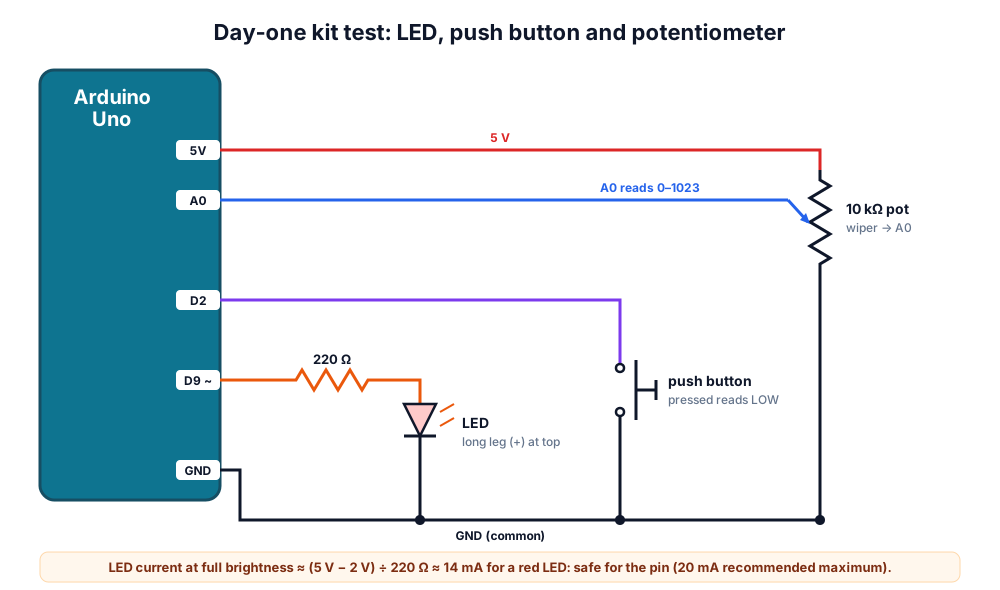 Day-one test circuit. The button uses the Arduino's internal pull-up, so pressing it reads LOW.
- Install the Arduino IDE, plug the board in and check that a port appears.
- Upload File → Examples → 01.Basics → Blink. The on-board LED should blink once a second.
- Build the circuit above on the breadboard: D9 → 220 Ω → LED (long leg towards the resistor) → GND; D2 → button → GND; potentiometer ends to 5V and GND, middle pin to A0.
- Upload the sketch below and open the Serial Monitor at 9600 baud.
- Turn the knob: the LED should dim and brighten and the numbers should run from about 0 to 1023. Press the button: the on-board LED lights and the monitor shows "pressed".
- Swap in each LED and button from the kit to test them all.
// Day-one kit test: pot sets LED brightness, button lights the on-board LED
const int LED_PIN = 9;      // PWM pin -> 220 ohm -> LED -> GND
const int BUTTON_PIN = 2;   // button to GND, uses the internal pull-up
const int POT_PIN = A0;     // potentiometer middle pin

void setup() {
  pinMode(LED_PIN, OUTPUT);
  pinMode(LED_BUILTIN, OUTPUT);
  pinMode(BUTTON_PIN, INPUT_PULLUP);
  Serial.begin(9600);
  Serial.println("Kit test started");
}

void loop() {
  int raw = analogRead(POT_PIN);       // 0 ... 1023
  analogWrite(LED_PIN, raw / 4);       // 0 ... 255
  bool pressed = (digitalRead(BUTTON_PIN) == LOW);
  digitalWrite(LED_BUILTIN, pressed ? HIGH : LOW);

  Serial.print("pot=");
  Serial.print(raw);
  Serial.print("  button=");
  Serial.println(pressed ? "pressed" : "released");
  delay(200);
}
What you learn: in ten minutes you have proved the board, cable, driver, breadboard, LEDs, buttons and potentiometer all work, and you have used digital output, PWM, digital input and analog input.
What to buy next
| When you have finished the kit | Buy next | Why |
|---|---|---|
| You keep guessing whether something has power | Digital multimeter | Measure voltage, current and continuity |
| You want Wi-Fi or phone control | ESP32 DevKit | Built-in Wi-Fi and Bluetooth |
| You want a robot | Motor driver, chassis, 2 × 18650 pack with charger | See L298N vs TB6612FNG vs DRV8833 |
| You want permanent projects | Soldering kit and perfboard | Circuits that survive the school bus |
| You want to learn with others | A hands-on workshop | Faster progress with a mentor |
Parents in Pune looking for guided learning can also read our robotics classes for kids: parents' guide.
Frequently asked questions
Which Arduino starter kit is best for beginners in India?
One built around an Uno R3 (original or compatible) with a data cable, an 830-point breadboard, LEDs with resistors, buttons, a potentiometer, an LDR, a buzzer, at least two sensors, a servo and clear tutorials. Add robotics parts only if you plan to build a robot soon.
Is a compatible Arduino Uno as good as the original?
For learning, a well-made compatible board runs the same code with the same ATmega328P. The usual difference is the CH340 USB chip, which may need a driver. The original supports Arduino's development and has consistent quality.
What age is an Arduino starter kit suitable for?
Many children can start from around 10 years old with adult help, especially with printed tutorials. Younger children usually do better starting with a simpler kids' robot such as our PICO BOT.
Do I need to know coding before buying an Arduino kit?
No. Kit tutorials start with copying and changing short examples like Blink. You learn C++ basics such as setup(), loop(), if and variables while building circuits.
Can I use an Arduino starter kit for a robot car?
Only if it includes, or you add, a motor driver, gear motors with wheels, a chassis and a rechargeable battery. Uno pins cannot drive motors directly. Our L298N robot car guide shows the full build.
Thinking Robot Team
Thinking Robot is a team of engineers and educators in Pune who design electronics and robotics kits and run hands-on workshops for students and schools. Spotted a mistake or have a question? Get in touch.